![Avatar 8-1.png]](https://support.zapfloorhq.com/hs-fs/hubfs/Avatar%20%208-1.png?height=40&name=Avatar%20%208-1.png)
Step 1: Login to Zapfloor with your operator account and go to My Profile on the right top corner
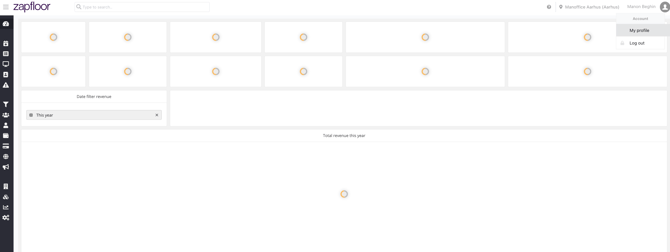
Step 2: Click on API Tokens and Choose All Access as a scope and Create

Step 3: Copy the token and Paste it in the form on the url https://main.dfau7gdl2lwn4.amplifyapp.com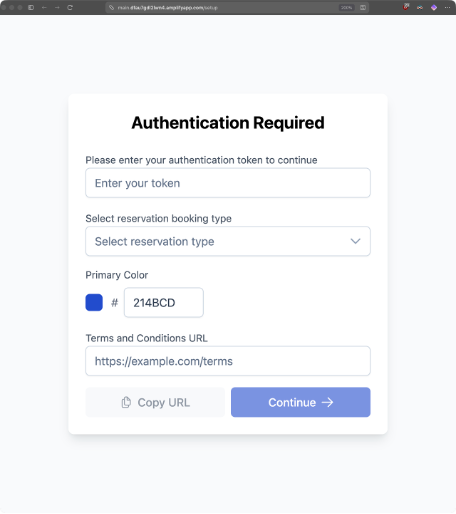
Step 4: Please select primary color (This is the only customization you can do as custom CSS is no longer supported)
Step 5: Copy URL and then in your website you can replace the link between <iframe src=“ and “> </iframe> to replace the previous Iframe with the new one.